
Unlisted page
This page is unlisted. Search engines will not index it, and only users having a direct link can access it.

2 posts tagged with "multi-agent-systems"

View All Tags

Migrating from LangGraph to Parlant

Migrating from LangGraph to Parlant
17 min read

You've built a sophisticated support agent with LangGraph. The supervisor pattern routes queries beautifully, your specialized agents handle their domains, and you're proud of what you've shipped!

But as conversations scale, you're noticing the cracks: users asking about billing and data plans in the same breath, context getting lost between agent handoffs, prompts becoming unwieldy as you add more capabilities.

Sound familiar? You're not alone, and you don't need to rebuild everything from scratch.

If you're new to the differences between LangGraph and Parlant, I recommend starting with our Parlant vs LangGraph post to understand the fundamental architectural differences.

This post assumes you understand those differences and are ready to make the (partial) migration - specifically, the part that's in charge of conversational steering.

Contents:​

What to Expect After Migration​

Before we dive into the technical details, let me paint a picture of what your development experience will look like after migrating conversational control to Parlant:

For Developers:

  • Your LangGraph code stays focused on what it does best: complex backend workflows, retrieval orchestration, and multi-step data processing
  • Conversational behavior lives in declarative guidelines and journeys, separate from "backend" logic
  • Adding new conversational capabilities means introducing guidelines, not refactoring your entire graph
  • Your prompts are modular, task-specific, contextually-loaded, and don't suffer from the curse of instructions

For Business Experts:

  • Product managers and domain experts can modify conversational behavior directly through specifying contextual guidelines, without getting involved in graphs and routers
  • Changes to conversation flows don't require developer intervention for every iteration
  • A/B testing different conversational approaches becomes straightforward
  • Compliance requirements map cleanly to enforceable guidelines

For Users:

  • Conversations flow naturally across multiple topics without awkward "let me route you" interruptions
  • The agent maintains coherent context even as topics interweave
  • Multi-message exchanges feel like real conversations, not rigid request-reply loops
  • The agent can proactively follow up, handle interruptions, and manage complex multi-step interactions

This won't just be a technical migration, but more of a fundamental improvement in how you build, maintain, and scale conversational AI.

Understanding Your Starting Point​

Let's start by examining a typical LangGraph supervisor pattern implementation for a telecom customer support system. This will help us identify what needs to migrate and what can stay.

The Supervisor Pattern in Action​

In a telecom support context based on the supervisor pattern, you typically have specialized agents handling different domains:

Here's how this typically looks in terms of a LangGraph implementation:

from langgraph.graph import MessagesState, StateGraph, START, END
from langgraph.prebuilt import create_react_agent
from typing import Annotated
from langchain_core.tools import tool, InjectedToolCallId
from langgraph.prebuilt import InjectedState
from langgraph.types import Command

# Define specialized tools for each domain
@tool
def check_account_balance(customer_id: str) -> dict:
"""Check the customer's current account balance."""
# Implementation here
return {"balance": 150.00, "due_date": "2025-11-15"}

@tool
def get_current_plan(customer_id: str) -> dict:
"""Get customer's current data plan details."""
return {"plan": "Unlimited Pro", "data_used": "45GB", "data_limit": "Unlimited"}

@tool
def find_available_plans(usage_pattern: str) -> list:
"""Find data plans based on usage pattern."""
return [
{"name": "Basic 10GB", "price": 40, "data": "10GB"},
{"name": "Premium 50GB", "price": 60, "data": "50GB"},
{"name": "Unlimited Pro", "price": 80, "data": "Unlimited"}
]

# Create specialized agents
billing_agent = create_react_agent(
model="openai:gpt-4",
tools=[check_account_balance],
prompt=(
"You are a billing specialist for a telecom company.\n\n"
"INSTRUCTIONS:\n"
"- Help customers with bill inquiries, payment issues, and charge explanations\n"
"- Always verify the customer's account before discussing billing details\n"
"- Be clear and transparent about all charges\n"
"- If a customer disputes a charge, explain it thoroughly but escalate if unresolved\n"
"Respond ONLY with the results of your work."
),
name="billing_agent",
)

data_plan_agent = create_react_agent(
model="openai:gpt-4",
tools=[get_current_plan, find_available_plans],
prompt=(
"You are a data plan specialist.\n\n"
"INSTRUCTIONS:\n"
"- Help customers understand their current plan and usage\n"
"- Recommend plans based on their actual usage patterns\n"
"- Focus on finding the best value for the customer\n"
"- Explain the benefits of each plan clearly\n"
"Respond ONLY with the results of your work."
),
name="data_plan_agent",
)

# Create handoff tools for supervisor
def create_handoff_tool(*, agent_name: str, description: str):
name = f"transfer_to_{agent_name}"

@tool(name, description=description)
def handoff_tool(
state: Annotated[MessagesState, InjectedState],
tool_call_id: Annotated[str, InjectedToolCallId],
) -> Command:
tool_message = {
"role": "tool",
"content": f"Successfully transferred to {agent_name}",
"name": name,
"tool_call_id": tool_call_id,
}
return Command(
goto=agent_name,
update={**state, "messages": state["messages"] + [tool_message]},
graph=Command.PARENT,
)
return handoff_tool

assign_to_billing = create_handoff_tool(
agent_name="billing_agent",
description="Transfer to billing specialist for bill inquiries and payment issues.",
)

assign_to_data_plan = create_handoff_tool(
agent_name="data_plan_agent",
description="Transfer to data plan specialist for plan changes and recommendations.",
)

# Supervisor agent
supervisor_agent = create_react_agent(
model="openai:gpt-4",
tools=[assign_to_billing, assign_to_data_plan],
prompt=(
"You are a supervisor managing customer support agents.\n\n"
"AVAILABLE AGENTS:\n"
"- billing_agent: Handles bill inquiries, payment issues, charge explanations\n"
"- data_plan_agent: Handles data plan inquiries, upgrades, recommendations\n\n"
"INSTRUCTIONS:\n"
"- Route each customer query to the most appropriate specialist\n"
"- Assign work one agent at a time\n"
"- Do not attempt to handle queries yourself\n"
),
name="supervisor",
)

# Build the graph
telecom_support = (
StateGraph(MessagesState)
.add_node(supervisor_agent, destinations=("billing_agent", "data_plan_agent", END))
.add_node(billing_agent)
.add_node(data_plan_agent)
.add_edge(START, "supervisor")
.compile()
)

How a Conversation Flows​

Here's what happens when a customer asks a mixed question like "I want to upgrade my plan and understand why my bill is higher this month":

The Problem​

This architecture has several issues for natural conversation:

  1. Routing Forces Single-Topic Handling: The supervisor must choose one agent, leaving parts of the customer's question unaddressed
  2. Context Fragmentation: When the conversation eventually gets routed to billing, it has lost the grounding context for plan upgrades
  3. Prompt Bloat: As you add capabilities, each agent's prompt grows, degrading accuracy and consistency due to the curse of instructions
  4. Rigid Topic Separation: Real conversations don't respect domain boundaries, but the architecture forces them

This is where Parlant's architecture shines. Let's see how to migrate this to a better pattern.

The Migration Strategy: Divide and Conquer​

The key insight is this: LangGraph becomes your backend retrieval layer, while Parlant becomes your conversational control layer. So instead of a complete rewrite, you're implementing a strategic separation of concerns:

What Stays in LangGraph​

Keep LangGraph for what it does best:

1. Complex Multi-Step Backend Workflows

# Example: Complex RAG retrieval workflow stays in LangGraph
from langgraph.graph import StateGraph
from typing import TypedDict

class RetrievalState(TypedDict):
query: str
retrieved_docs: list
reranked_docs: list
synthesized_answer: str

def retrieve_documents(state: RetrievalState) -> RetrievalState:
# Vector search
docs = vector_store.search(state["query"])
return {"retrieved_docs": docs}

def rerank_documents(state: RetrievalState) -> RetrievalState:
# Rerank by relevance
reranked = reranker.rerank(state["query"], state["retrieved_docs"])
return {"reranked_docs": reranked}

def synthesize_answer(state: RetrievalState) -> RetrievalState:
# Generate answer from docs
answer = llm.generate(state["query"], state["reranked_docs"])
return {"synthesized_answer": answer}

# Build retrieval workflow
retrieval_graph = (
StateGraph(RetrievalState)
.add_node("retrieve", retrieve_documents)
.add_node("rerank", rerank_documents)
.add_node("synthesize", synthesize_answer)
.add_edge(START, "retrieve")
.add_edge("retrieve", "rerank")
.add_edge("rerank", "synthesize")
.compile()
)

2. Business Logic Orchestration

  • Data transformations
  • Multi-service coordination
  • Complex decision trees for backend operations
  • ETL-style workflows

3. Knowledge Base Access

However, knowledge base access needs to be transformed into a tool that Parlant can call:

import parlant.sdk as p

@p.tool
async def search_knowledge_base(
context: p.ToolContext,
query: str
) -> p.ToolResult:
"""Search the knowledge base for information to answer customer questions."""

# Call your LangGraph retrieval workflow
result = await retrieval_graph.ainvoke({"query": query})

return p.ToolResult(
data=result["synthesized_answer"],
metadata={
"sources": [doc.metadata for doc in result["reranked_docs"][:3]]
}
)

What Migrates to Parlant​

Move to Parlant everything related to conversational behavior:

1. Routing Logic Instead of a supervisor deciding which agent to call, use Parlant's dynamic guideline matching to create a single, coherent, and comprehensively grounded agent:

# The supervisor's routing logic becomes contextual guidelines
await agent.create_guideline(
condition="The customer asks about their account balance",
action="Provide their account balance ",
tools=[get_account_overview],
)

await agent.create_guideline(
condition="The customer wants to change or upgrade their data plan",
action="Recommend appropriate upgraded plans based on their needs",
tools=[get_current_plan, find_available_plans],
)

2. Conversational Prompts General "job description" parts of the prompt go into agent description. Instructional sections about "how to converse" become granular guidelines:

agent = await server.create_agent(
name="Telecom Support Agent",
description="""\
A helpful customer support agent for a telecom company,
assisting with billing, data plans, and technical support"""
)

# From LangGraph prompt: "Always verify the customer's account before discussing billing details"
await agent.create_guideline(
condition="You're about to discuss sensitive billing information",
action="Ask for their PIN to verify their identity before proceeding",
)

# From LangGraph prompt: "Be clear and transparent about all charges"
await agent.create_guideline(
condition="You're explaining charges to a customer",
action="Explain each charge clearly, and proactively address common concerns",
)

3. Multi-Step Conversation Flows Sequential interaction designs become Parlant journeys:

# Plan upgrade flow
journey = await agent.create_journey(
title="Data Plan Upgrade",
triggers=["The customer wants to upgrade their data plan"],
description="Guide customer through plan selection and upgrade process"
)

t1 = await journey.initial_state.transition_to(
tool_state=get_current_plan,
)

t2 = await t1.target.transition_to(
chat_state="Present current usage and ask about their needs"
)

t3 = await t2.target.transition_to(
tool_state=find_available_plans,
condition="Customer has shared their needs"
)

t4 = await t3.target.transition_to(
chat_state="Recommend plans based on their usage pattern"
)

t5 = await t4.target.transition_to(
chat_state="Confirm selected plan and explain next steps",
condition="Customer has selected a plan"
)

t6 = await t5.target.transition_to(
tool_state=process_plan_upgrade,
condition="Customer confirms upgrade"
)

t7 = await t6.target.transition_to(
chat_state="Confirm upgrade is complete and summarize changes"
)

Migrating Tool Calls​

Tool migration has two distinct patterns depending on whether the tool represents internal workflow logic or conversational triggers.

Pattern 1: Internal Workflow Tools → Wrapped LangGraph​

If your LangGraph tool implements complex multi-step logic that doesn't need to be conversationally-driven, wrap it as a Parlant tool:

Before (LangGraph internal tool):

# Complex multi-step retrieval in LangGraph
from langgraph.graph import StateGraph, START

class RetrievalState(TypedDict):
query: str
documents: list
answer: str

def retrieve(state: RetrievalState) -> RetrievalState:
docs = vector_store.search(state["query"], k=20)
return {"documents": docs}

def rerank(state: RetrievalState) -> RetrievalState:
reranked = reranker.rerank(state["query"], state["documents"])
return {"documents": reranked[:5]}

def synthesize(state: RetrievalState) -> RetrievalState:
answer = llm.generate(state["query"], state["documents"])
return {"answer": answer}

retrieval_workflow = (
StateGraph(RetrievalState)
.add_node("retrieve", retrieve)
.add_node("rerank", rerank)
.add_node("synthesize", synthesize)
.add_edge(START, "retrieve")
.add_edge("retrieve", "rerank")
.add_edge("rerank", "synthesize")
.compile()
)

After (Wrapped as Parlant tool):

import parlant.sdk as p

@p.tool
async def search_policy_docs(
context: p.ToolContext,
query: str
) -> p.ToolResult:
"""Search company policy documentation for relevant information."""

# Run the LangGraph workflow
result = await retrieval_workflow.ainvoke({"query": query})

return p.ToolResult(
data=result["answer"],
metadata={
"sources": [
{"title": doc.metadata["title"], "url": doc.metadata["url"]}
for doc in result["documents"]
]
}
)

# Associate with guideline
await agent.create_guideline(
condition="Customer asks about company policies, terms of service, or coverage details",
action="Search the policy documentation and provide a clear, accurate answer based on official policy",
tools=[search_policy_docs]
)

Pattern 2: Conversational Tools → Parlant Tools with Guidelines​

If your tool should be triggered based on conversation context, convert it to a Parlant tool with guideline association.

Before (LangGraph with implicit tool calling):

The problem with LangGraph's implicit tool calling is that the LLM can hallucinate or infer parameter values. We've seen production cases where the LLM guesses amounts based on previous transactions ("You sent $50 last time, I'll send $50 again"), infers recipients from context without confirmation ("You mentioned John earlier, I'll send it to John").

@tool
def send_money(sender_id: str, recipient: str, amount: float) -> dict:
"""Send money to another account."""
# Process transaction
return {
"status": "success",
"transaction_id": "TXN-12345",
"amount": amount,
"recipient": recipient
}

payment_agent = create_react_agent(
model="openai:gpt-4",
tools=[send_money],
prompt="You help customers send money. Process transfers when requested."
)

After (Parlant with explicit contextual guideline and parameter annotations):

import parlant.sdk as p
from typing import Annotated

@p.tool
async def send_money(
context: p.ToolContext,
recipient: Annotated[str, p.ToolParameterOptions(
source="customer", # Must come from customer explicitly
description="The recipient's account number or username"
)],
amount: Annotated[float, p.ToolParameterOptions(
source="customer", # Must come from customer explicitly
description="The amount to transfer in USD"
)],
) -> p.ToolResult:
"""Send money from customer's account to a recipient."""

# Process the transaction
result = await payment_api.transfer(
from_account=context.customer_id,
to_account=recipient,
amount=amount
)

return p.ToolResult(
data=f"Successfully sent ${amount} to {recipient}. Transaction ID: {result['transaction_id']}",
canned_response_fields={ # If you're using canned responses...
"amount": f"${amount}",
"recipient": recipient,
"transaction_id": result["transaction_id"]
}
)

# Explicit conditional trigger
await agent.create_guideline(
condition="Customer wants to send money or transfer funds to someone",
action="Process the transfer and confirm the transaction details",
tools=[send_money],
)

Parlant's ToolParameterOptions solves the hallucination problem by explicitly controlling where each parameter comes from. With source="customer", the Parlant agent must ask the customer directly and cannot infer or guess values. With source="context", parameters are pulled from secure session data and cannot be taken from conversation history.

Adopting Parlant's Event-Driven Conversation API​

One of the most significant advantages you'll gain from migrating to Parlant is its event-driven conversational API. This is fundamentally different from the request-reply pattern most LangGraph implementations use.

The Limitation of Request-Reply​

Traditional chatbot APIs (and most LangGraph deployments) work like this:

# Traditional pattern - tightly coupled request/response
@app.post("/chat")
async def chat(user_message: str, session_id: str):
# Process single message
response = langgraph_agent.invoke({"messages": [{"role": "user", "content": user_message}]})

# Return single response
return {"response": response["messages"][-1]["content"]}

This pattern has several limitations:

  1. No multi-message input: Users must cram everything into one message
  2. Rigid synchronous responses: Agent must respond to a user trigger, can't follow up later
  3. No interruptions: Can't handle "wait, cancel that" from users
  4. No proactive engagement: Agent can't initiate conversation
  5. No typing indicators or status: Poor UX during long-running operations

Parlant's Event-Driven Model​

Parlant treats conversations as streams of events in both directions:

Benefits You Get Automatically​

With this event-driven architecture, you automatically support:

1. Multi-Message Input

// Frontend (users) can send multiple messages before agent responds
await conversation.sendMessage("Hi there");
await conversation.sendMessage("I need to upgrade my plan");
await conversation.sendMessage("Oh, and check my bill too, please");

// Agent sees all three in context and responds once

2. Proactive Agent Follow-Up

@p.tool
async def purchase_flight_ticket(
context: p.ToolContext,
flight_details: str
) -> p.ToolResult:
"""Schedule a proactive follow-up message."""

# Schedule async task
asyncio.create_task(follow_up_on_flight_ticket_purchase(
context.session_id,
flight_details
)) # In a real implementation, you'd need to clean up this task in a done-callback

return p.ToolResult(data="Ticket purchase initiated. You'll receive an update shortly.")

async def follow_up_on_flight_ticket_purchase(session_id: str, flight_details: str):
await flight_api.book_ticket(flight_details)

# Emit agent message proactively
await client.sessions.createEvent(session_id, {
"kind": "message",
"source": "ai_agent",
"guidelines": [
{"action": "Confirm flight ticket was booked."},
],
})

3. Interruptions and Cancellations

# User can interrupt ongoing operations
await agent.create_guideline(
condition="Customer says 'cancel', 'stop', 'never mind', or similar",
action="Confirm the cancellation, and ask what they'd like to do instead"
)

If You Want to Keep Your Existing UI's API Contract...​

If you've already built a frontend around a traditional request/response API and can't migrate immediately, you can create an adapter easily. Our docs show how to build a Custom Frontend that translates between your existing API and Parlant's event-driven model.

However, we strongly recommend migrating to the event-driven pattern for production use. It provides a significantly better user experience and is more robust for real-world conversational applications.

Architecture Recommendation: Parlant as API, LangGraph as Backend​

Now that we've covered the individual migration pieces, let's look at the recommended overall architecture:

Layer Responsibilities​

Conversational Control Layer (Parlant)

  • Manages conversation state and context
  • Dynamically loads relevant guidelines and journeys
  • Handles multi-turn dialogue and topic transitions
  • Ensures compliance and business rule adherence
  • Composes user-facing messages
  • Manages event-driven conversation API

Backend Orchestration Layer (LangGraph)

  • Complex multi-step workflows (RAG, data retrieval)
  • Business logic orchestration
  • State management for backend operations
  • Integration between multiple services
  • Data transformations and processing

Data & Services Layer

  • Persistent storage
  • Vector databases for semantic search
  • External API integrations
  • Microservices for domain logic

Conclusion​

Migrating from LangGraph to Parlant isn't about replacing one framework with another. Instead, it's about strategically positioning each tool where it excels.

LangGraph continues to power your backend orchestration, handling complex workflows and data processing. Parlant takes control of the conversational layer, delivering natural, coherent dialogue that scales.

What You've Gained​

After migration, you have:

A cleaner architecture where conversational behavior is separated from business logic, making both easier to develop, maintain, and implement feedback from business stakeholders.

Better conversations where users can naturally discuss multiple topics, interrupt, ask follow-up questions, and receive coherent responses that maintain context.

Faster iteration where adding new conversational capabilities means writing a guideline, not refactoring graphs and prompts.

Team empowerment where business experts can refine conversational behavior without developer intervention for every change.

Production-ready AI with compliance guarantees, event-driven conversations, and enterprise features built in.

Getting Started​

The best way to learn is by doing. Start with a small, contained use case:

  1. Pick one specialized agent from your LangGraph implementation
  2. Migrate its conversational logic to Parlant guidelines
  3. Wrap its tools as Parlant tools
  4. Test the conversation quality improvement
  5. Expand from there

Resources​

We're Here to Help​

Migrating can feel daunting, but you don't have to do it alone. Our team has helped other companies migrate from LangGraph to Parlant, and we're here to help you too.

github Get Migration Help

Have you tried migrating from LangGraph to Parlant? We'd love to hear about your experience. Reach out on Discord or via our contact page.
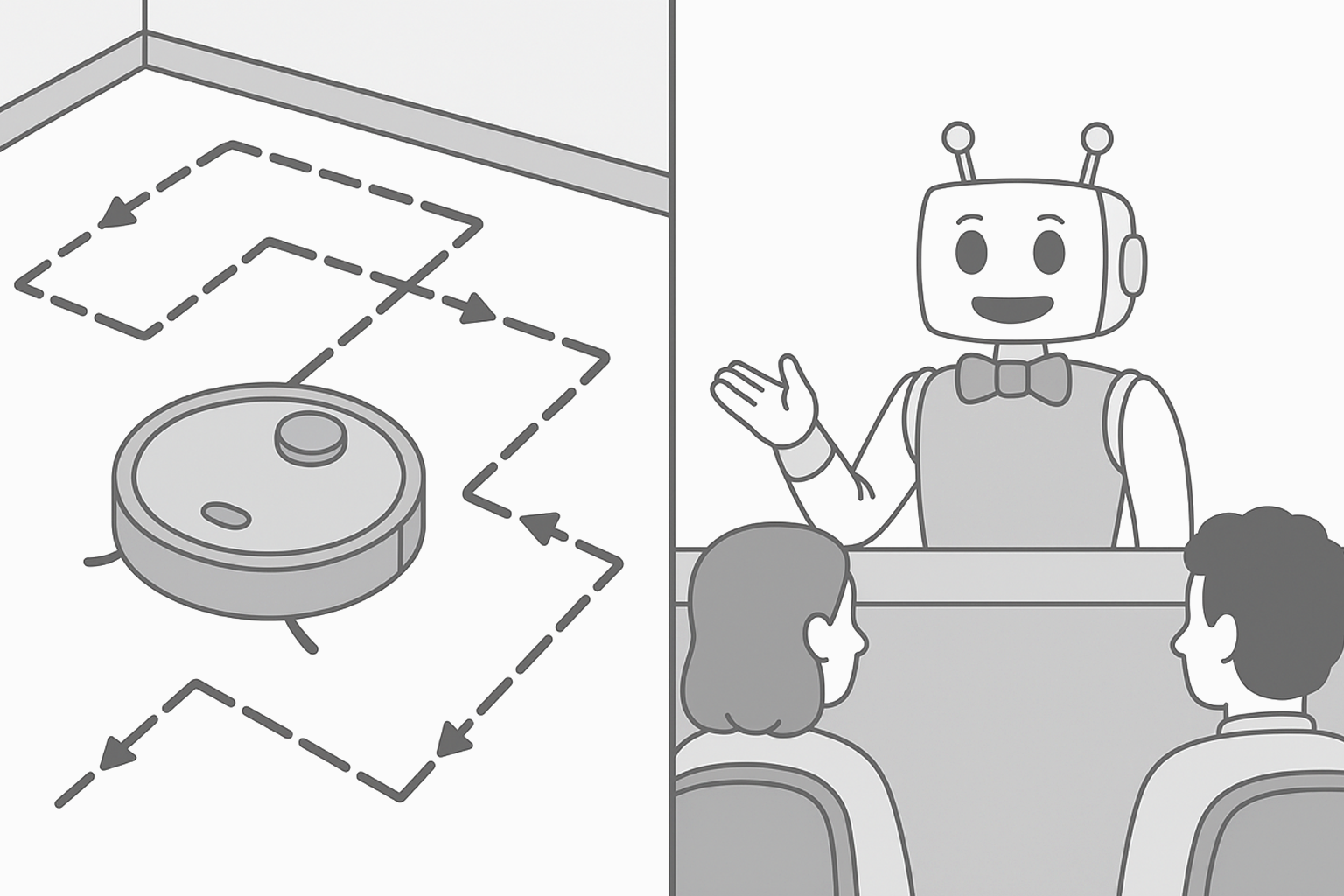
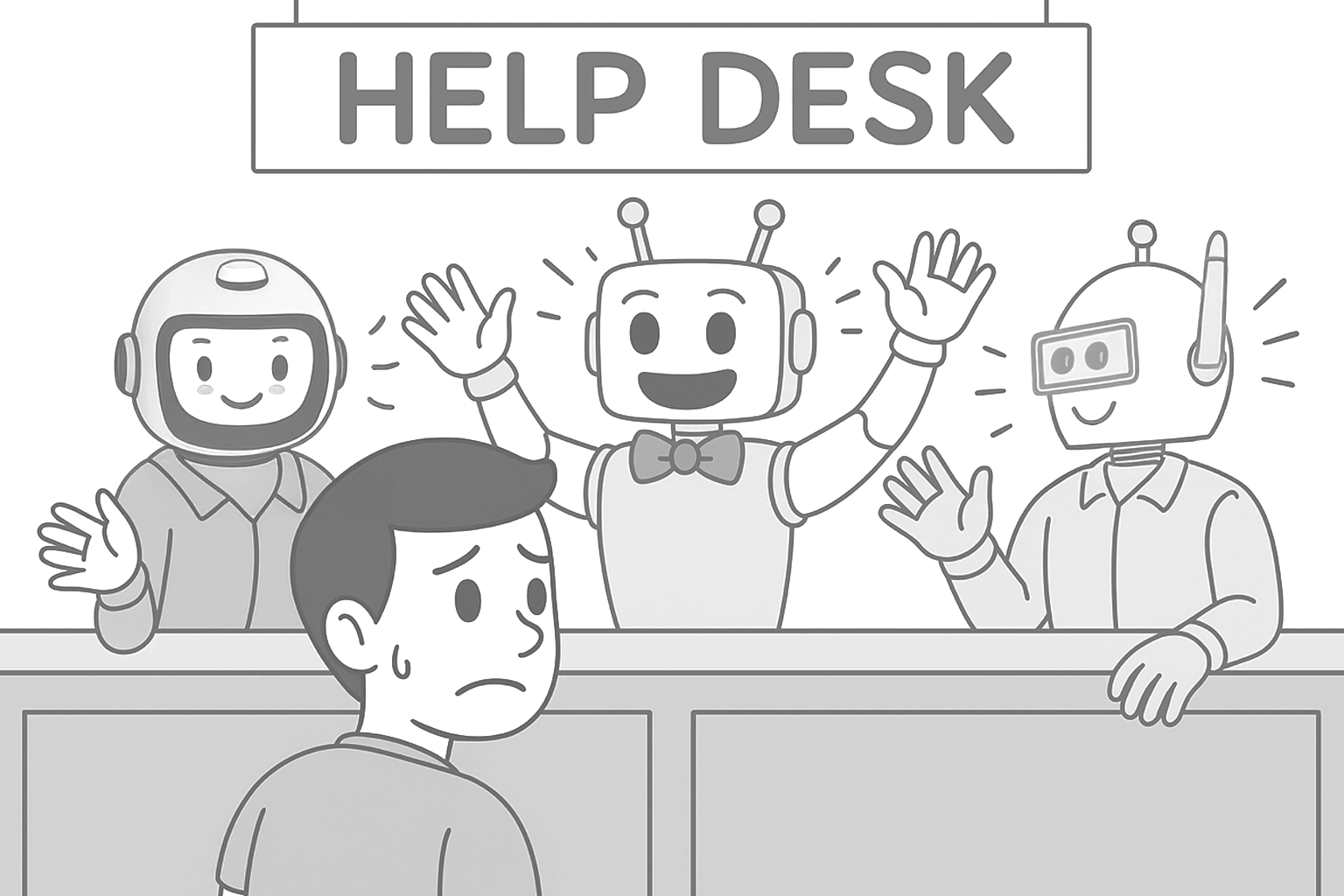
Parlant vs LangGraph

Parlant vs LangGraph
22 min read

Get ready for a hardcore deep dive! The most asked-for framework comparison from the Parlant community is finally here.

"How is Parlant different from LangGraph?" "Can I use them together?" "Which one should I use for my AI agent and why?"

These are the great questions we've been getting from back when we launched Parlant v1.0. And the reason they're great is that they allow us to get right to the heart of what makes Parlant unique, why we even built it, and the surprising lessons we've learned building real-world conversational AI while working with truly large-scale clients.

Contents:​

Introduction​

When coders first approach building conversational agents, graph-based architectures like LangGraph feel intuitive and familiar. Router patterns and specialized nodes map cleanly to how we think about organizing functionality. This is why these patterns are so popular.

However, through years of studying and building production conversational systems, working with some of the top professionals in the field (shout out to CDI), we've discovered challenges that most developers aren't aware of when they start. These challenges aren't immediately obvious: they emerge gradually as your agent handles more conversations, more topics, and more complex user behaviors.

In this post, we'll demonstrate how router-based architectures inherently fail for natural, free-form conversation—not due to implementation details you can fix, but due to fundamental architectural constraints. Understanding these limitations now can save you from a complete rewrite later when you discover your graph-based system can't scale to handle the way users actually converse.

Let me break down the key differences, explain where LangGraph's common patterns create challenges for conversational AI, and show you why and how Parlant approaches these problems differently.

The Quick Answer​

LangGraph is a framework for building agentic workflows through explicit graph-based orchestration. It excels at task decomposition, multi-step automation, and scenarios where you need precise control over execution flow.

Parlant is an AI alignment engine designed specifically for natural customer-facing dialogue. It's built to handle free-form conversations where users don't follow scripts: they mix topics freely, and expect coherent responses across multiple contexts simultaneously.

They solve different problems. Actually, they can work together—LangGraph can function as a lower-level orchestration framework triggered by a Parlant agent's tools for complex retrieval, action workflows, or specialized reasoning tasks.

Understanding LangGraph's Approach​

LangGraph represents agentic applications as graphs where nodes are computational steps (LLM calls, tool invocations) and edges define control flow. This architecture is powerful for workflow automation and task orchestration.

Common LangGraph Patterns​

The most popular patterns for building agents with LangGraph include:

1. Supervisor (Router) Pattern

A central coordinator (supervisor) routes requests to specialized agents based on the query type. Each specialized agent has its own system prompt optimized for a specific domain.

# Simplified LangGraph supervisor pattern
from langgraph.graph import StateGraph

# Define specialized agents
returns_agent = create_agent("You are an expert in returns...")
warranty_agent = create_agent("You are an expert in warranties...")
billing_agent = create_agent("You are an expert in billing...")

# Supervisor routes to the right agent
def supervisor_node(state):
# LLM decides which agent should handle this
next_agent = supervisor_llm.invoke(state["messages"])
return {"next": next_agent}

workflow = StateGraph()
workflow.add_node("supervisor", supervisor_node)
workflow.add_node("returns_agent", returns_agent)
workflow.add_node("warranty_agent", warranty_agent)
workflow.add_node("billing_agent", billing_agent)

workflow.add_conditional_edges("supervisor", route_to_agent)

2. Multi-Agent Network

Agents communicate in a many-to-many pattern, where each agent can invoke others as needed. This provides flexibility but requires careful coordination logic.

# Multi-agent network pattern
from langgraph.graph import StateGraph

# Each agent can invoke others
def research_agent(state):
result = research_llm.invoke(state["messages"])
if needs_writing_help(result):
# Agent decides to call writing agent
return {"next": "writing_agent", "data": result}
return {"messages": result}

def writing_agent(state):
result = writing_llm.invoke(state["messages"])
if needs_fact_check(result):
# Agent decides to call research agent
return {"next": "research_agent", "data": result}
return {"messages": result}

# Build network with many-to-many connections
workflow = StateGraph()
workflow.add_node("research_agent", research_agent)
workflow.add_node("writing_agent", writing_agent)
workflow.add_node("editing_agent", editing_agent)
workflow.add_node("review_agent", review_agent)

# Each agent can transition to multiple others
workflow.add_conditional_edges("research_agent", route_from_research)
workflow.add_conditional_edges("writing_agent", route_from_writing)
workflow.add_conditional_edges("editing_agent", route_from_editing)

3. Hierarchical Teams

Supervisor agents manage their own teams of specialized agents, creating nested structures for complex workflows.

# Hierarchical teams pattern
from langgraph.graph import StateGraph

# Top-level supervisor
def main_supervisor(state):
category = categorize_query(state["messages"])
if category == "customer_service":
return {"next": "customer_service_supervisor"}
elif category == "technical":
return {"next": "technical_supervisor"}

# Mid-level supervisors manage specialized teams
def customer_service_supervisor(state):
subcategory = categorize_cs_query(state["messages"])
return {"next": f"{subcategory}_agent"}

def technical_supervisor(state):
subcategory = categorize_tech_query(state["messages"])
return {"next": f"{subcategory}_agent"}

# Build hierarchical structure
workflow = StateGraph()
workflow.add_node("MS", main_supervisor)
workflow.add_node("CSS", customer_service_supervisor)
workflow.add_node("TS", technical_supervisor)

# Add specialized agents under each supervisor
workflow.add_node("RA", returns_agent)
workflow.add_node("BA", billing_agent)
workflow.add_node("DA", diagnostics_agent)
workflow.add_node("ASA", api_support_agent)

workflow.add_conditional_edges("MS", route_to_team)
workflow.add_conditional_edges("CSS", route_to_cs_agent)
workflow.add_conditional_edges("TS", route_to_tech_agent)

What LangGraph Excels At​

LangGraph is indeed excellent for:

  • Workflow automation and orchestration
  • Task decomposition into specialized subtasks
  • Non-conversational agent applications
  • Scenarios requiring a stencil control flow

The framework gives you precise control over execution paths, which is exactly what you want for many agentic processes, specifically ETL type of workflows.

But here's where the challenges arise...

LangGraph Supervisor Pattern

The Problem with Router Patterns​

Here's where things get interesting for conversational AI. The router pattern (i.e., "supervisor"), where specialized nodes own specific tasks and topics, works beautifully for workflow orchestration but creates inherent challenges when users engage in natural, free-form dialogue.

Let me walk you through the problems that arise from this architecture.

Isolated Specialization Is Inherently Broken​

Picture this. A customer sends a message:

"Hey, I need to return this laptop. Also, what's your warranty on replacements?"

In a router system, that message gets routed to one specialized agent.

Let's say it lands on the Returns Agent. This agent has a system prompt optimized for returns. It knows the return policy inside and out. But what about warranties? That's the Warranty Agent's domain.

The Returns Agent is now faced with four practical "alternatives" for handling the warranty question, none of which are actually any good:

Option 1: Ignore the warranty question

"Sure, I can help you with that return. What's your order number?"

↪ Poor UX. The customer explicitly asked about warranties and got no acknowledgment.

This is not how a good conversational framework should behave.

Option 2: Acknowledge the limitation

"I can help with the return. Regarding the warranty on replacements, I'm not certain about those details."

↪ This is not only awkward, but, from the overall agent's perspective, is incorrect. The overall agent can handle warranty questions—it just routed to the wrong specialized node. This will frustrate both users and developers, and lead to a disjointed user experience.

This, too, is not how a good conversational framework should behave.

Option 3: Hallucinate an answer

"Sure! Our return policy is 30 days, and all replacements come with a 5-year warranty."

↪ Dangerous and extremely common—as well as hard to prevent with LLMs. The Returns Agent isn't grounded in warranty information, but, being an LLM, will often attempt to fabricate an answer. That "5-year warranty" might be completely wrong.

This, too, is not how a good conversational framework should behave.

Option 4: Stack the topics

"Let me help you with that return first, and then we'll get to your warranty question."

↪ This is actually (kind of?) reasonable. The agent acknowledges both questions and proposes handling them sequentially. Many LangGraph implementations do exactly this.

But even option 4 is not how a good conversational framework should behave. It still smells of a fundamental design flaw, because it often leads to poor user experience.

When your AI user experience is poor, many users mistrust in it when it comes to important matters, and consequently drop out of your AI agent and escalate to a familiar human agent experience. That's where you're leaving money and customer satisfaction on the table.

Let's see how this leads to friction.

The First Common Issue: Intertwined Topics​

Many natural conversations don't present as "two separate questions." The "topics" (from a backend classification perspective) are naturally intertwined throughout the interaction. Forcing an artificial separation feels robotic. Consider this:

"I bought this laptop for my business but it's broken. Can I return it and get a tax invoice for the replacement?"

The return process and the business tax documentation question aren't separate topics the user is stacking. They're deeply connected:

  • The tax invoice depends on whether a return is processed
  • Business customers may have different return policies
  • The replacement timing affects when documentation is issued

Forcing the agent to say "Let me handle your return first, then we'll discuss invoicing" creates unnecessary friction and invites avoidable questions and objections.

In natural conversation, you'd expect both aspects to be addressed together:

"Absolutely, we can process that return. For your replacement, I'll ensure you receive a proper tax invoice. Let me pull up your account—is the business registered under the same email?"

This is what a well-designed conversational framework should deliver, and it's exactly one of the design goals Parlant was built to achieve.

The Second Common Issue: Recurring Topics​

Another pattern that emerges frequently in natural conversation: topics don't just appear once and disappear. Users jump between topics, then circle back. And once multiple topics have entered the conversation, they tend to remain relevant—at least to some degree—for the rest of the discussion.

Consider this conversation flow:

Customer: "I'd like to return this laptop I bought last week."

Agent (Returns): "I can help with that. Can you provide your order number?"

Customer: "Yeah let me get it, one sec. By the way, do you have the new model in stock? The one with the better battery?"

Agent (Inventory): "Yes, we have the XPS 15 with extended battery in stock. Would you like me to reserve one for you?"

Customer: "Yes, perfect. So if I return this one and get that new model, will I need to pay the difference, or can I just exchange them?"

Now the conversation needs to reference both the return process AND the inventory/pricing information. The customer isn't asking two separate questions—they're asking about the relationship between the return and the new purchase.

In a router system, this message gets routed to one specialized agent. If it goes to the Returns Agent, it can handle the return part but isn't grounded in current inventory pricing. Or perhaps it routes to the Billing Agent, which can discuss pricing but isn't grounded in returns.

The challenge is that once both topics have been introduced, the rest of the conversation will, in high likelihood, need to reference both in some form or another.

The user isn't thinking "Now I'm in Returns mode" or "Now I'm in Inventory mode". They're thinking about their situation holistically, which spans both domains.

Every subsequent message will be handled by one specialized node that's ungrounded with respect to the other relevant topic. The conversation's integrity and coherence fragments precisely when it needs to be most cohesive.

A conversational AI framework that's understands natural conversations should support seamless context switching and multi-topic awareness, and it's exactly one of the design goals Parlant was deliberately designed to achieve.

Articulating the Core Design Issue​

When you route to a specialized node for topic X, that node is inherently unspecialized for topic Y.

Real conversations don't respect domain boundaries. Users mix topics in single messages, jump between topics, and expect coherent responses that integrate multiple contexts. A router/specialized node architecture forces you to choose one domain's grounding at the expense of others

How Parlant Approaches Free-Form Conversation​

We created Parlant from a clear vision of, and frustration from these age-old problems in mechanistic AI conversations.

We thus decided to take a fundamentally different approach optimized for natural dialogue: dynamic assembly of a comprehensive context instead of artificially segmented routing.

Dynamic Guideline Matching​

Rather than routing messages to specialized nodes, Parlant evaluates ALL of your guidelines and other contextual information, and loads only the relevant ones for each conversation turn—i.e., for each user-observable LLM request.

# Parlant approach - no routing, just conditional guidelines
await agent.create_guideline(
condition="The customer wants to return an item",
action="First acknowledge their concern, explain our 30-day return policy, "
"and ask for their order number"
)

await agent.create_guideline(
condition="The customer asks about warranty on replacements",
action="Explain that all replacement items come with our standard warranty, "
"which covers manufacturing defects for 1 year from the replacement date"
)

await agent.create_guideline(
condition="The customer needs a tax invoice for a business purchase",
action="Let them know we'll include a proper tax invoice with their order documentation"
)

await agent.create_guideline(
condition="The customer asks about store hours",
action="Tell them we're open Monday-Friday 9-8, Saturday 10-6, and Sunday 12-5"
)

Notice what's different here: there's no routing decision. When the customer says, "I need to return this laptop for my business and get a tax invoice for the replacement," Parlant's guideline matcher evaluates all guidelines and determines that three are contextually relevant:

  1. The return guideline (customer wants to return)
  2. The tax invoice guideline (business purchase context)
  3. The warranty guideline (mentioned replacement)

They get loaded into the LLM's context simultaneously. The agent composes a response that's dynamically grounded in all of them:

"I'd be happy to help you with that return and ensure you get proper documentation. Let me pull up your order—could you provide the order number? Once I have that, I'll process your return and make sure your replacement comes with a tax invoice for your business records. Just to confirm, the business is registered under the same email as this order?"

So, instead of choosing between domains, the Parlant agent assembles all the relevant grounding context on-demand.

Why This Works for Conversational Coherence​

More often than not, real-world customer conversations break your textbook vision of an architected dialogue.

Parlant's approach solves the problems we identified earlier:

No artificial separation: The agent can naturally address intertwined topics because it has access to all relevant guidelines simultaneously.

No crude serialization: When both topics have brief answers, the agent can address them together naturally.

No context fragmentation: There's no handoff between agents because there aren't separate agents. There's just one agent with dynamically and continuously assembled context.

Consistent grounding: The agent is grounded in all contextually relevant information, not just one domain's specialization. This is (one) big part of what makes Parlant so seamlessly effective at maintaining compliance and avoiding hallucinations in customer-facing scenarios.

How Parlant Keeps Accuracy Scalable​

Of course, if you just load all relevant guidelines, the LLM's context gets bloated. This is the same as putting everything in one giant system prompt, which leads to the "curse of instructions"—too many simultaneous instructions degrade performance (not to mention you'll ironically end up paying more for this degraded performance, due to the higher token count).

This is where Parlant's architecture does most of its work. The framework uses surprisingly intricate and nuanced guideline matching to accurately determine relevance BEFORE loading context.

When LangGraph Works Well for Conversational AI​

I want to be clear: LangGraph isn't wrong for all conversational AI. If you have the right use case for it, you can achieve better results with it than with Parlant.

LangGraph works well for conversational agents when:

The conversation is narrow in scope, and streamlined: You're interviewing users through a specific process like onboarding, data collection, or a structured troubleshooting flow, where they have to choose their responses from options presented to then, rather than responding freely.

Users follow a guided path: The interaction model strictly requires users to answer questions in a formal sequence rather than conversing freely.

Limited conversational freedom: Users aren't expected to interrupt with unexpected questions mid-flow, change topics independently, or reference multiple contexts simultaneously.

Clear state transitions: The conversation has well-defined stages where it makes sense to "route" to the next step.

Granted, these are legitimate use cases where LangGraph is likely to provide great results with far less compute overhead than Parlant invests in (an investment made to maximize accuracy and user experience in genuine conversational settings).

The key distinction is in the interaction model. If your users are expected to follow a strict script at all times, LangGraph's routing works great and is not likely to run into unwieldy design issues and operational faults.

If your users are conversing naturally and freely, that's where the challenges emerge. That's where Parlant's shines, as it was intricately designed for this use case.

Using LangGraph and Parlant Together​

Here's something interesting: these frameworks aren't competitive—they're complementary.

LangGraph can work as a lower-level orchestration tool within Parlant. Let me show you a practical example:

# A Parlant tool that uses LangGraph internally for complex retrieval

@p.tool
async def find_relevant_documentation(
context: p.ToolContext,
query: str
) -> p.ToolResult:
# LangGraph orchestrates the multi-step retrieval workflow
result = await langgraph_workflow.invoke({
"query": query,
"customer": p.Customer.current,
})

return p.ToolResult(
data=result["synthesized_answer"],
canned_response_fields={
"documentation": result["source_links"],
},
)

# The tool is used within a Parlant guideline
await agent.create_guideline(
condition="The customer asks about a technical feature or API",
action="Look up the info and provide an explanation if possible",
tools=[find_relevant_documentation],
)

In this pattern:

  • Parlant handles and synthesizes the conversational flow, dynamic context management, and natural dialogue
  • LangGraph handles the complex internal KB workflow (retrieval, re-ranking, synthesis)

This combines the strengths of both:

  • Parlant ensures coherent, well-guided, natural conversation
  • LangGraph provides powerful workflow orchestration for agentic processing

The Architectural Difference​

At the highest level, here's the core distinction:

LangGraph: Explicit Graph-Based Control Flow

LangGraph represents your application as a graph with explicit nodes and edges. You define the routing logic, specify transitions, and control execution flow. This is excellent for:

  • Workflow automation
  • Task decomposition
  • Multi-step processes with clear stages
  • Scenarios requiring precise control over execution order

It's great for when you know what the expect from the input—which is simply not the case for raw conversational content.

Parlant: Dynamic Context Assembly

That's where Parlant helps you keep the contracts under control, and handle the messy conversational parts cleanly and effectively.

Parlant represents your application as a set of conditional guidelines and journeys within a natural conversation.

Instead of routing between specialized nodes, it dynamically assembles relevant context for each turn. This is excellent for:

  • Free-form conversational AI
  • Natural dialogue where users don't follow scripts
  • Scenarios where topics interweave unpredictably
  • Compliance-critical customer-facing applications

Both approaches are valid. The right choice depends on your interaction model.

When to Use Which​

Here's a practical guide:

Use LangGraph when you need explicit orchestration and precise control over execution: workflow automation like multi-step tasks, data processing pipelines, and agent workflows where order matters; task decomposition that breaks complex problems into coordinated subtasks or multi-agent collaboration for non-conversational workloads; narrow, guided conversational flows such as structured onboarding, step-by-step data collection, or troubleshooting wizards.

Use Parlant when you’re building free‑form, customer‑facing agents where users converse naturally without following a script: support chatbots, sales and consultation assistants, or any scenario that demands comprehensive and consistent domain alignment. It shines when conversations mix topics, include interruptions, and require natural back‑and‑forth; in compliance‑critical settings where regulated behavior and avoidance of unauthorized statements are essential across business‑critical interactions; and in multi‑context dialogues where users reference multiple topics simultaneously, concerns are intertwined rather than separable, and the agent must produce coherent, cross‑topic responses.

When you need both conversational fluidity and complex workflows, use both:

  • Conversational agent (Parlant) with complex retrieval (LangGraph)
  • Natural dialogue requiring multi-step tool orchestration
  • Customer-facing AI with sophisticated backend processes

"Can't I Just Build This with LangGraph?"​

At this point, you might be thinking: "Great, I understand the dynamic context assembly approach. Now why can't I just build that pattern myself using LangGraph?"

And the answer is: you absolutely can. LangGraph is flexible enough to implement a dynamic guideline matching and context assembly system like Parlant (though Parlant isn't actually built on top of it).

Nothing to stop you from building that. But, before you dive into it, consider that you'd be essentially building Parlant from scratch.

Why? Let me share a hard-earned lesson on how alignment engineering turned out to be a surprisingly deep rabbit hole.

The Rabbit Hole Goes Deeper Than You Think​

When we started building Parlant, we thought dynamic context assembly would be straightforward. Match relevant guidelines, load them into context, done. We quickly learned that the complexity goes much deeper than initially apparent.

Guideline Matching Complexity:​
  • Semantic matching isn't just about accuracy (though that alone is a massive challenge—just look at how many specialized guideline sub-matchers exist in Parlant)
  • You need to handle edge cases: partially relevant guidelines, conflicting conditions, different temporal scopes, and keeping track of what was already done and wasn't to avoid over-conformance to instructions
  • False positives and negatives create different failure modes that need to be mitigated in how you think about your agent's design (which Parlant addresses through its conversation-optimized tool-calling and canned response systems)
Runtime Performance:​

Naive implementations create unacceptable latency; mitigating this requires well-tuned caching strategies and parallel execution of different pipeline stages—even at relatively small scale.

A Coherent, Holistic Architecture:​

Guidelines need to interact elegantly with tools. Journey state needs to be tracked; canned responses need to be coordinated with matched guidelines and tool outputs, and variables, glossaries, and relationships need to factor into context assembly.

Every component subtly influences the others in an integrated, closed loop that feels natural. Your development workflow all falls into place.

This is what Parlant offers, and it's truly taken a lot to get it here!

Leverage Our Work & Research​

We've spent the last couple of years studying, building and refining these mechanisms—full time. Parlant's current implementation represents countless battle-tested iterations, performance optimizations, and lessons learned from real deployments. The guideline matching system alone has gone through multiple architectural rewrites as we tackled the surprising nuances of these challenges head-on.

If you're considering building your own dynamic context assembly system with LangGraph, I'd honestly encourage you to first:

  1. Review Parlant's feature documentation to understand the full scope of challenges you'll encounter
  2. Consider the engineering investment required to solve these problems elegantly
  3. Evaluate whether your use case has unique requirements that Parlant doesn't address (for which a rewrite makes more sense than opening a Parlant GitHub issue or contributing a PR)

Parlant is Fully Open Source​

Remember, Parlant isn't a black box. It's fully open source, which means you can:

  • Inspect exactly how we solve these problems
  • Extend or modify components to fit your needs
  • Contribute improvements back to the community
  • Build on top of years of production-hardened engineering by a decent team of developers!

Either way, understanding what's already been built and battle-tested can save you months of development time and help you avoid the pitfalls we've already encountered and solved—and will continue to solve and optimize for the emerging, modern Conversational AI community.

Making the Right Choice​

The confusion between Parlant and LangGraph is understandable: They're both powerful frameworks for building with LLMs. But understanding the difference comes down to one key question:

What kind of interaction are you building?

If you're building workflows, orchestration, or guided processes → LangGraph is excellent.

If you're building free-form conversational AI where users don't follow a script → Parlant is designed specifically for this.

If you need both → They can work together beautifully.

It's clear that both frameworks have their place in the AI agent ecosystem. Choose based on your interaction model, and don't be afraid to use them together when it makes sense.

github Questions about Parlant?

Have you tried building conversational agents with LangGraph or Parlant? I'd love to hear about your experience. Reach out on Discord or via our contact page.